A wedding venue map maker your guests will actually open.
Build a custom wedding day map - ceremony, reception, parking, hotel block - and share it as a real Google Maps link. No PDF attachments, no hand-drawn insert card, no group text asking where to park.
A real wedding weekend map: Dubrovnik, Croatia
LiveCeremony at the Stradun, reception nearby, hotel block at the Hilton Imperial, plus parking, photo spots, and restaurant recommendations for the whole weekend. This isn't a mockup below - drag it, zoom it, click a pin. It's a real Google Map.
This is what your own guests will get: a real, working map, not a PDF.
The wedding map problem nobody plans for
Most weddings aren't one address - they're a ceremony site, a separate reception venue, a parking lot two blocks away, and a hotel block for out-of-town guests. Couples usually solve this with a hand-drawn map inserted into the invitation, a screenshot of Google Maps with arrows drawn on top, or a paragraph on the wedding website explaining where to park. None of it is clickable, none of it gives turn-by-turn directions, and all of it goes stale the moment a shuttle time changes.
A custom wedding venue map fixes this by keeping the real Google Maps underneath your design - guests get the navigation app they already trust, with your ceremony, reception, and logistics icons layered on top so nobody has to guess which door is the right one.
Design → export → share, in three steps
Place your icons on the real venue
Drop a pin on the venue, then give it your own look - here, a custom wedding-couple graphic - by pasting an image straight in. No design software required.

Position it exactly where the ceremony happens
Drag it to the real spot on the map - the shoreline, the aisle, wherever it actually is - no ruler, no guesswork.

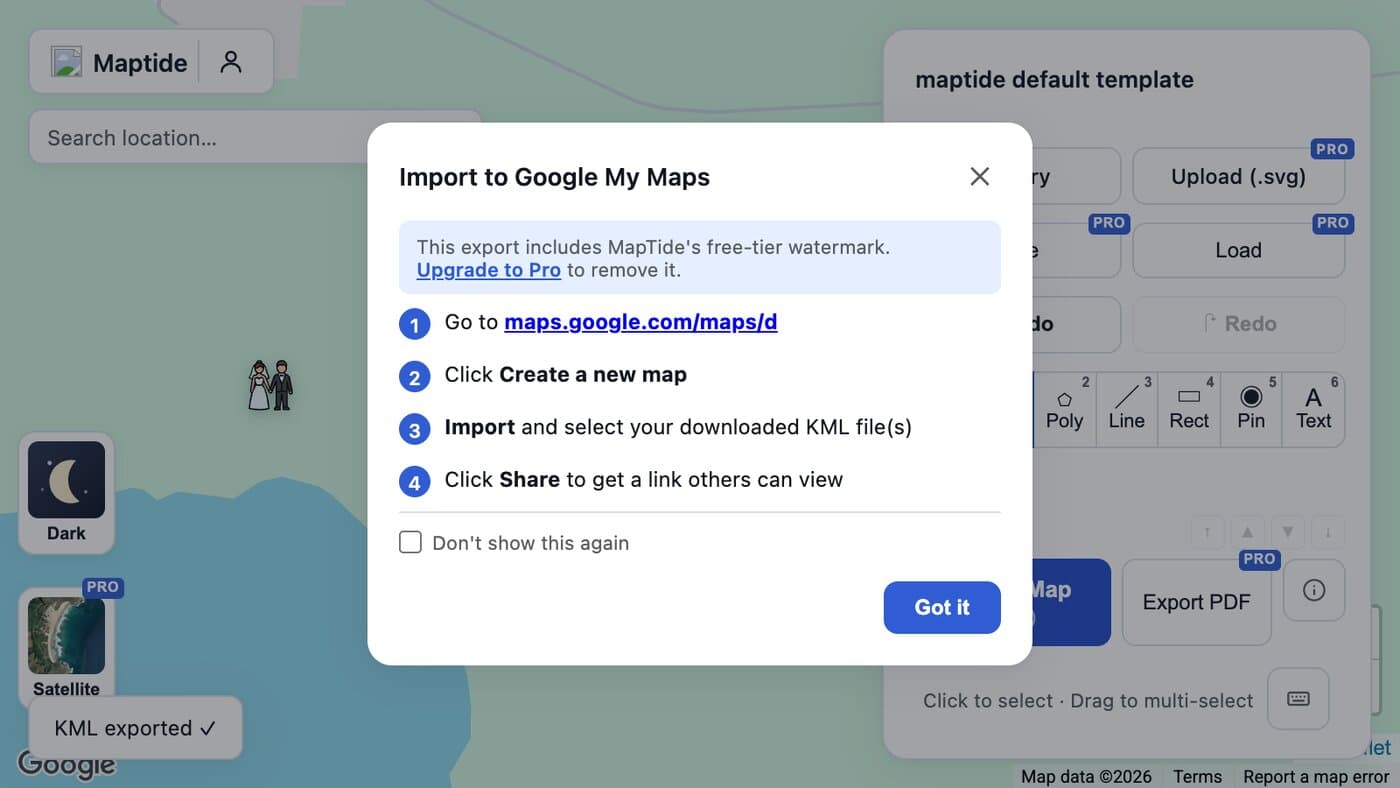
Export to KML and open it in Google My Maps
One click exports a geo-accurate KML file. Import it into Google My Maps and you have a real, live link ready to paste into your wedding website or invite.
Everything guests ask you about, marked on one map
Ceremony spot
The exact aisle, altar, or arch location - not just the venue's front door.
Reception area
Tent, ballroom, or barn, labeled separately when it's not the ceremony spot.
Parking & shuttle pickup
So the group text on the morning-of doesn't happen.
Hotel block
One tap for out-of-town guests to get directions from their room.
Photo locations
Point the wedding party to where the golden-hour shots happen.
Rehearsal dinner / after-party
A separate venue across town, still one link away.
Common questions
How do I make a custom map for my wedding venue?
Drop your venue's floor plan or a simple SVG onto the real Google Map location in Maptide, then place icons for the ceremony spot, reception tent, parking, and anything else guests need to find. Export it as a KML file and import it into Google My Maps to get a real, live link - the whole thing takes a couple of minutes, no design software required.
Can my guests use it without downloading an app?
Yes. The output is a real Google Maps link, so it opens in the Google Maps app or browser your guests already have installed. There's nothing to install and nothing that needs a login to view.
What's the difference between this and just dropping a pin in Google Maps?
A single pin tells guests where the address is, not what's actually there. A wedding usually spans a ceremony spot, a separate reception area, parking, a shuttle pickup, and sometimes a hotel block - a custom map lets you label and icon each one so people stop texting the wedding party "which entrance?" on the day.
Can I show the ceremony, reception, and hotel as separate locations?
Yes - place as many icons as you need across as much of the map as you need, whether that's three zones inside one venue or three separate addresses across town. Google Maps handles the real driving directions between them once you share the link.
Does it cost anything to make a wedding map?
The editor and KML export are free. A small watermark appears on free exports; removing it and unlocking satellite view, custom SVG uploads, and color icon packs is part of the paid Pro tier. See Pricing for details.
Invitations going out soon?
Build your venue map before the RSVP cards do - it takes less time than addressing the envelopes.
Start your wedding map